PulseDev for plain HTML.Click it, fix the CSS.
Click any element on your running page and say what’s wrong. In review mode, PulseDev asks your agent for a proposed diff to the HTML or stylesheet. Review and apply it in the widget.
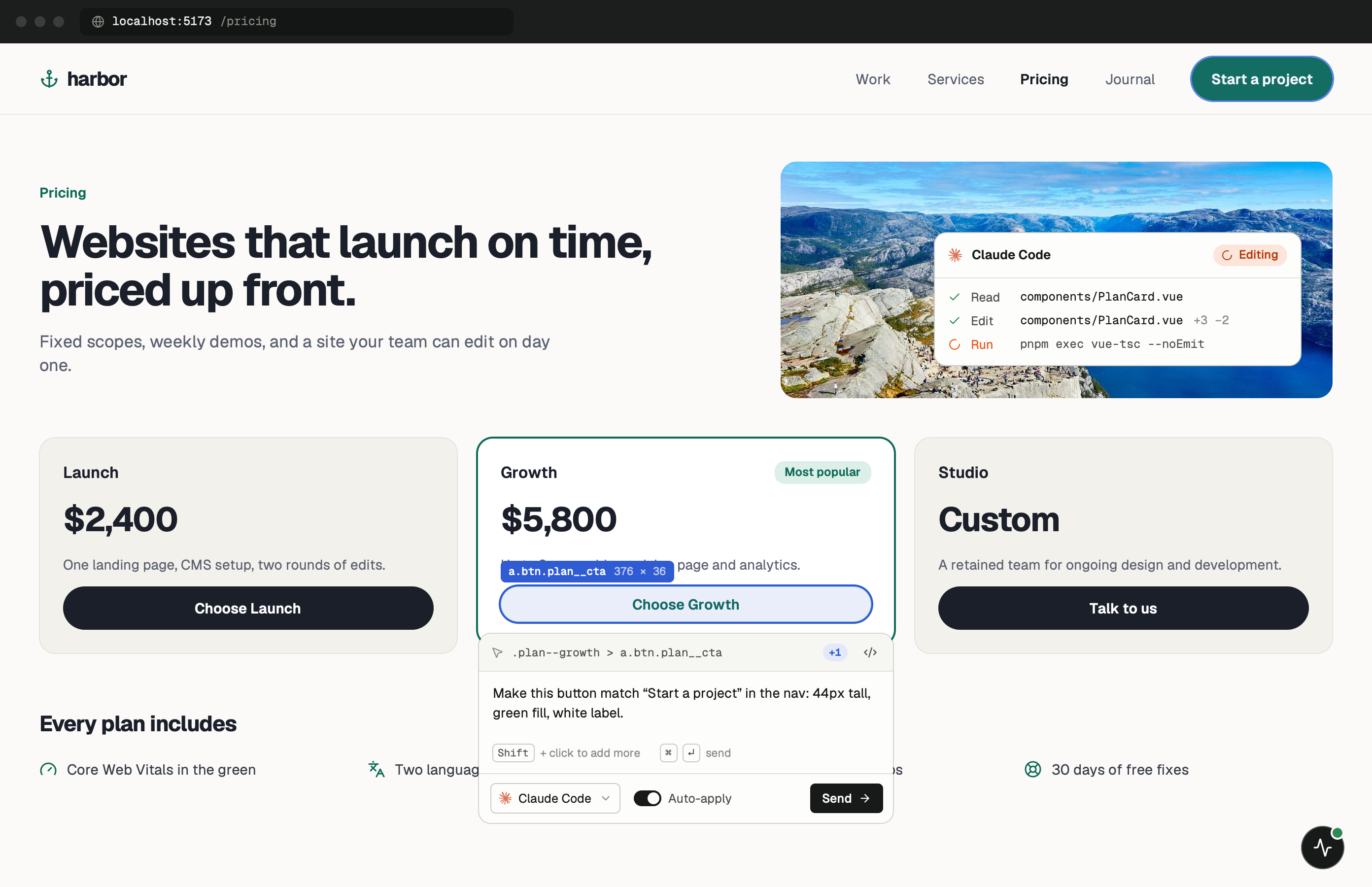
No build step, nothing to trace through.
A plain HTML site is the simplest case. There’s no component tree and no compiled CSS, so the element you click maps to a line in an .html file and a rule in a stylesheet. The agent gets both: the element’s markup and the CSS rules that matched it.
This guide also covers server-rendered stacks with their own templates, such as Django, Rails, Phoenix or Go. Anything that serves HTML on localhost can load the widget. Put the tag in whichever template wraps every page.
One minute of setup.
None of it ships.
Set up project looks for index.html or public/index.html and inserts the tag before </body>, saving the original as index.html.pulsedev.bak. Other pages need the tag too if you want to review them. More in the widget docs.
- Add
Paste the script tag.
Put it before </body> on each page you want to review, or in the shared template if you have one. Plain HTML has no dev flag, so remove the tag before you deploy.
index.html <!-- just before </body>, dev only --> <script src="http://localhost:3899/widget.js" data-token="YOUR_TOKEN"></script> - Run
Serve it over HTTP.
Use any local server. Opening the file straight from disk (file://) gives the page an origin the PulseDev server won’t accept.
terminal $npx serve
Notes for
plain HTML.
A short list, because there’s not much that can go wrong.
Use a local server
npx serve, python3 -m http.server and VS Code’s Live Server all serve on localhost or 127.0.0.1, which the PulseDev server accepts by default.
Matched CSS rules
Each click sends the rules that matched the element, so the agent can find the selector that needs changing in the stylesheet you already have.
Many pages, many tags
Without includes, every page needs its own tag. A project-wide find and replace removes them all before you deploy.
Approve, then reload
After you approve, the files change on disk. Live Server reloads the page for you; with other servers, reload the tab.
HTML questions.
- Do I need a framework?
- No. PulseDev works with plain HTML, CSS and JavaScript. No framework or build tool is needed.
- Which dev servers work?
- Any server on localhost or 127.0.0.1. For a custom hostname, turn on Allow any origin in Settings › General › Network.
- Does it support CSS preprocessors?
- Yes. The agent edits your Sass, Less or PostCSS source files, as long as they’re in the project folder.
- Rails, Django or Go templates?
- Yes. Put the tag in your base template and gate it with your framework’s environment check, for example <% if Rails.env.development? %> in a Rails layout.
Your page is running.Go point at the bug.
Windows coming soon. Free to start.