PulseDev for Next.js.Click it, fix the route.
Click any element in your running Next.js app and say what’s wrong. Your agent traces it to the page or component, proposes a diff, and Fast Refresh shows it after you approve.
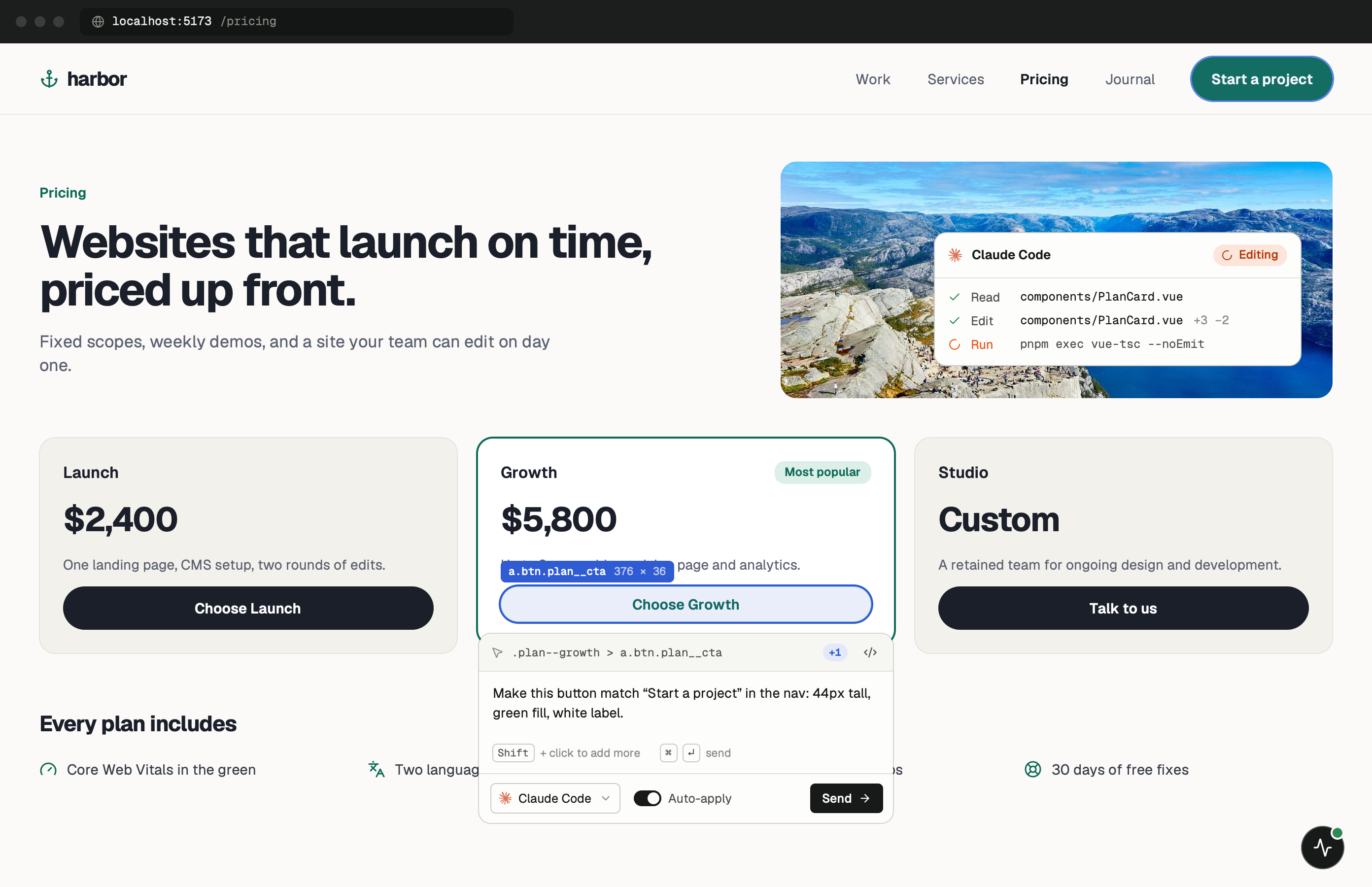
Server Components, client clicks.
Next.js renders a lot of HTML on the server, and with the App Router much of it comes from Server Components that never reach the browser as React code. The widget doesn’t mind. It works on the DOM in the tab, so a heading from a Server Component is as clickable as a button inside a client component.
What changes is where the fix lives. A visual bug might sit in app/(marketing)/page.tsx, in a shared component, in a layout two folders up, or in globals.css. The page URL goes with every note, and the agent uses it to work out which route segment rendered what you clicked.
One minute of setup.
None of it ships.
Set up project recognises Next.js from package.json but leaves your layout alone. It prints the exact line to add, with your token and port filled in. Paste it into app/layout.tsx as shown below. More in the widget docs.
- Add
Add the script to the root layout.
Render it inside <body> in app/layout.tsx. next/script loads it after hydration, and the NODE_ENV check means next build leaves it out. On the Pages Router, the same <Script> goes in pages/_app.tsx.
app/layout.tsx import Script from 'next/script' // inside <body> {process.env.NODE_ENV === 'development' && ( <Script src="http://localhost:3899/widget.js" data-token="YOUR_TOKEN" /> )} - Run
Start next dev.
Turbopack or webpack makes no difference here. Open any route, wait for the PulseDev button, then click the element you want changed.
terminal $npm run dev
Notes for
Next.js projects.
Where Next.js behaves differently from a single-page app.
- app/layout.tsx
Root layout, not a page
In the root layout the script is there on every route, nested layouts and not-found pages included. Put it in one page and the button only shows up where that page renders.
Server and Client Components
Both end up as DOM, so both are clickable. If the bug is about interactivity, say so in your note. It tells the agent the fix probably belongs in a client component.
Hydration warnings
Recent console errors travel with each note, so a hydration mismatch on the page reaches the agent along with your click. Mention it if that’s the bug you’re chasing.
Approve, then Fast Refresh
The agent proposes edits first. When you press Approve, PulseDev writes them to disk and Fast Refresh updates the open tab.
Next.js questions.
- App Router or Pages Router?
- Both. On the App Router, put the <Script> in app/layout.tsx. On the Pages Router, put it in pages/_app.tsx, or a plain <script> tag in pages/_document.tsx.
- Does it work with Turbopack?
- Yes. The widget is served by the PulseDev app, not bundled with your code, so next dev with Turbopack and with webpack behave the same.
- Will the script end up in production?
- Not with the NODE_ENV check. next build runs with NODE_ENV set to production, so the condition is false and the <Script> never renders.
- Can the agent fix route handlers or server actions?
- It can edit any file in the project, but PulseDev starts from what you click on the page. Describe the behaviour you expect and the agent can follow it into app/api or a server action.
Your Next.js app is running.Go point at the bug.
Windows coming soon. Free to start.