PulseDev for Solid.Click it, fix the component.
Click any element in your running Solid app and say what’s wrong. Your agent opens the component behind it, proposes a diff, and Vite hot-reloads after you approve.
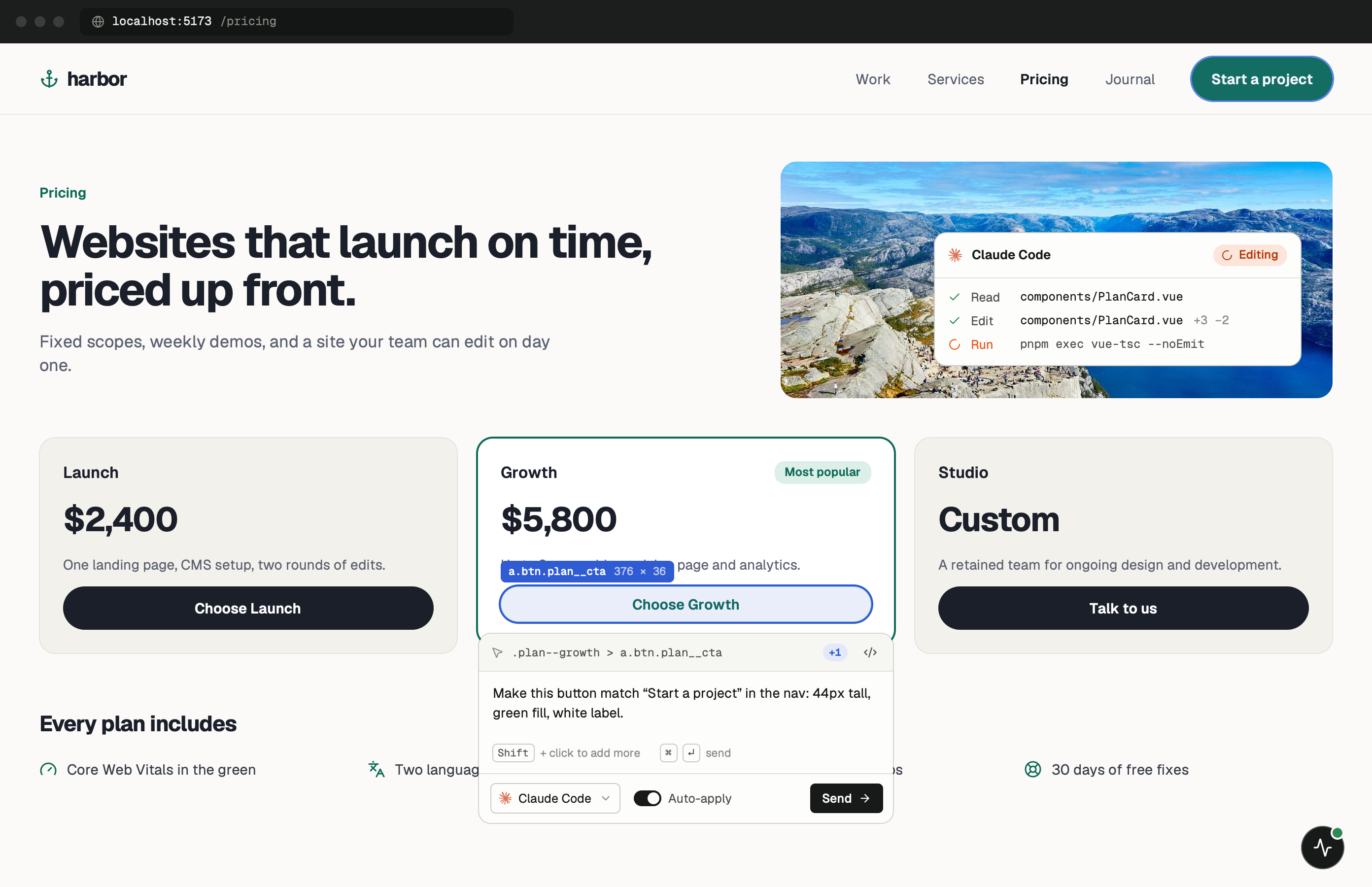
Fine-grained updates, ordinary DOM.
Solid compiles JSX into real DOM nodes and updates them directly, with no virtual DOM in between. For PulseDev that means the element you click is exactly the element your component created, with the classes and attributes you wrote.
Components in Solid run once, then signals take over. When a bug is about something changing over time, like a class that should toggle or a count that doesn’t update, say so in your note. That tells the agent to look at the signal or store feeding the element, not only its markup.
One minute of setup.
None of it ships.
For a plain Vite + Solid app, Set up project finds Vite but not React or Vue, and inserts the tag into index.html with no dev check (it keeps a .pulsedev.bak copy). Remove it before you build, or use a gated snippet. SolidStart has no index.html, so the app shows the tag for you to paste. More in the widget docs.
- Add
Add it to the SolidStart document.
entry-server.tsx renders the HTML shell for every page. Put the tag after {scripts} in <body>. For a plain Vite + Solid app, load it from src/index.tsx behind import.meta.env.DEV instead, as in the Vue guide.
src/entry-server.tsx // in the document returned to StartServer <body> <div id="app">{children}</div> {scripts} {import.meta.env.DEV && ( <script src="http://localhost:3899/widget.js" data-token="YOUR_TOKEN" /> )} </body> - Run
Start the dev server.
Open the page your dev server prints and wait for the PulseDev button. Then click the element you want changed.
terminal $npm run dev
Notes for
Solid apps.
Solid’s model is different enough from React to change how you describe a bug.
Signals and stores
If the element looks right at first and wrong later, the problem is usually reactive state. Mention the interaction that breaks it so the agent reads the signal, not just the JSX.
class and classList
Solid can set classes with class or classList. The agent sees the resulting classes on the element and can match them back to either form in your JSX.
- src/entry-server.tsx
The SSR shell
In SolidStart, the document in entry-server.tsx is the one place that wraps every page, which is why the tag goes there and not in app.tsx.
Approve, then HMR
The diff waits for your approval. Once it’s written, solid-refresh swaps the component through Vite HMR.
Solid questions.
- Does it work with SolidStart?
- Yes. Use the entry-server.tsx snippet above. SolidStart serves pages on localhost in dev like any other app.
- And plain Solid with Vite?
- Yes. Put the tag in index.html, or create it from src/index.tsx inside an import.meta.env.DEV check so production builds skip it.
- Are component names sent with a click?
- No. Solid components leave no trace in the DOM once they’ve run, so PulseDev sends the element, selector, styles and URL, and the agent searches from there.
- Does it support TypeScript?
- Yes. The agent reads and edits .tsx files like any other source file.
Your Solid app is running.Go point at the bug.
Windows coming soon. Free to start.